Deef - Sass and App Landing HTML5 Template
created: 01/02/2019
Template Installation
-
FTP Upload:
- Open up your FTP manager and connect to your hosting
- Browse to required directory (Normally public_html)
- Upload the files inside deef
Pages
- index.html is for home page one
- blog.html is for blog page
- blog-details.html is for blog details page
Fonts
            <!-- Google Fonts -->
            @import url('https://fonts.googleapis.com/css?family=Dancing+Script:700|Heebo:300,400,500,700');
Source File (CSS)
		<!-- All css here -->
		<link rel="stylesheet" href="css/bootstrap.min.css">
		<link rel="stylesheet" href="css/fontawesome-all.min.css">
		<link rel="stylesheet" href="css/slick.css">
		<link rel="stylesheet" href="css/themify-icons.css">
		<link rel="stylesheet" href="css/magnific-popup.css">
		<link rel="stylesheet" href="css/animate.css">
		<link rel="stylesheet" href="css/style.css">
Source File (JS)
<!-- All js here -->
<script src="js/vendor/jquery-1.12.4.min.js"></script>
<script src="js/popper.min.js"></script>
<script src="js/bootstrap.min.js"></script>
<script src="js/jquery.magnific-popup.min.js"></script>
<script src="js/slick.min.js"></script>
<script src="js/jquery.scrollUp.min.js"></script>
<script src="js/one-page-nav-min.js"></script>
<script src="js/main.js"></script>
Customization
How to Change Logo

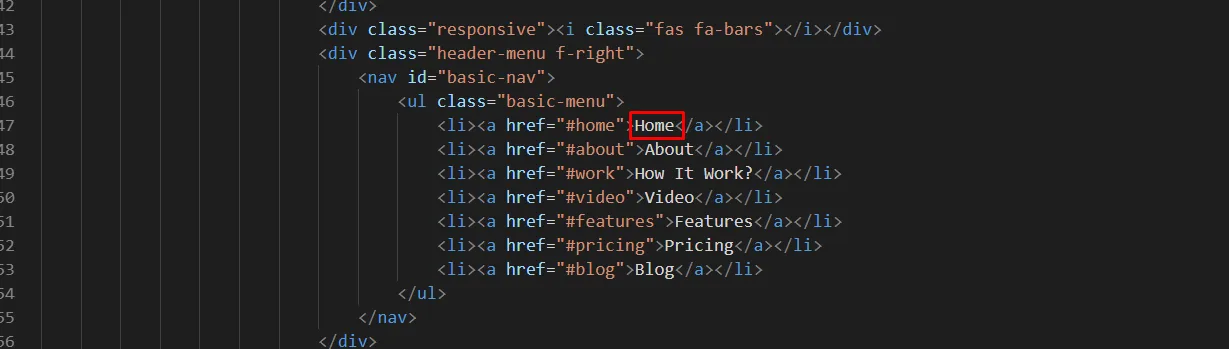
How to Change Menu
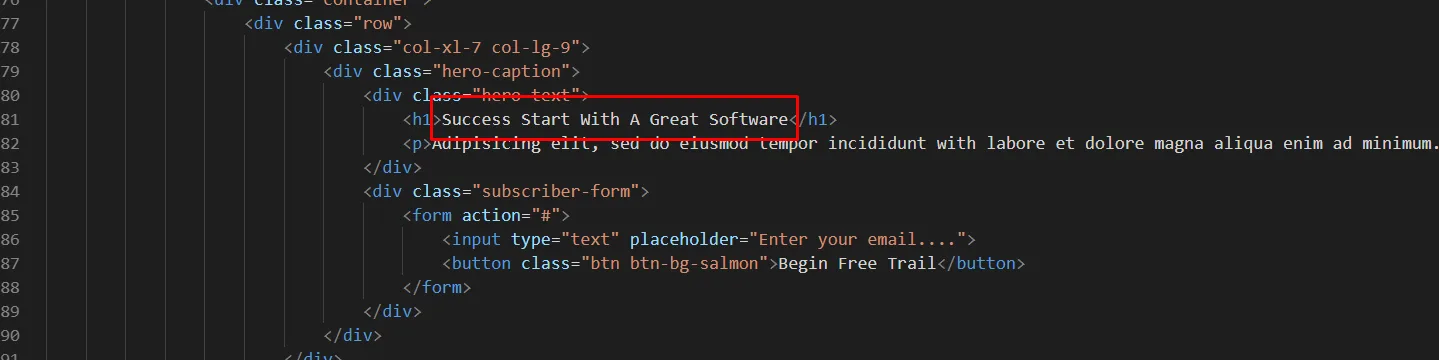
How to Change Hero
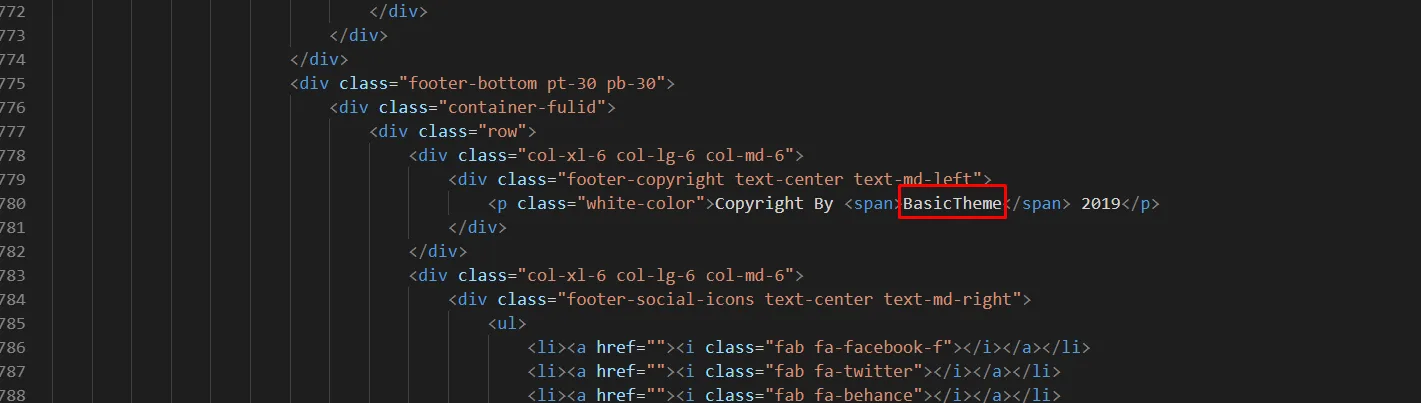
How to Change Copyright